Postman
Overview

For testing your data and integration with the TrackVia API, we suggest using the industry standard tool, Postman.
The Postman API client is the foundational tool of Postman, enabling you to easily explore, debug, and test againt the TrackVia API.
Install Postman
Download the Postman app to get started.
Install the TrackVia API Postman Collection
All TrackVia API endpoints are defined for you in a Postman Collection. This eliminates your need to recreate the requests yourself and instead dive head first into your integration.
First, download the TrackVia API Postman Collection where we publish the latest available version.
Second, import the collection into Postman following this guide.
Configure Your TrackVia API
Once imported, you will want to update the provided template variables:
TrackViaHostUserKeyAccessToken
Run API Tests
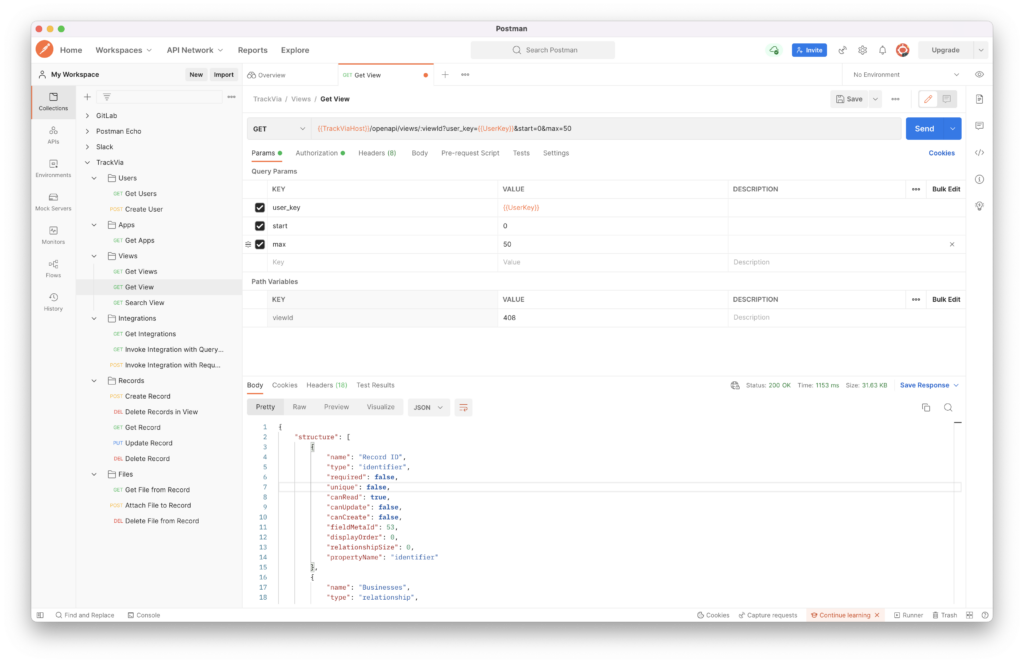
You should now be configured to call any endpoint against the TrackVia API in Postman! This includes querying records, creating/updating/deleting records, uploading files, downloading images, and much more.